 English
  Français
 Deutsch
 Español
 Italiano
 Nederlands
 Português
 Русский
 中文 (中国)
 日本語
日本語
Product: DJControl Inpulse T7
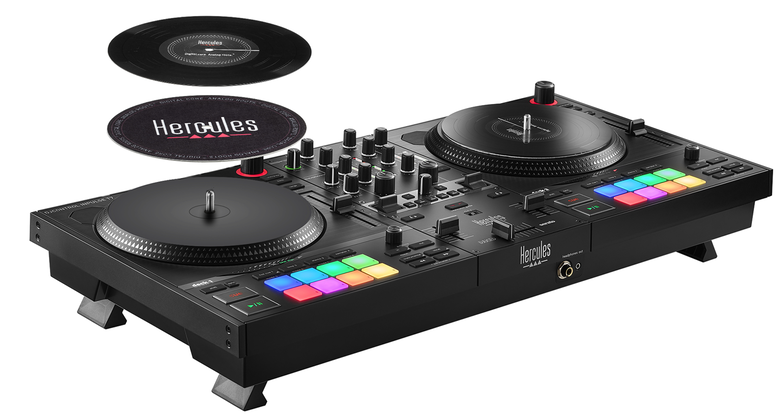
This guide provides step-by-step instructions to calibrate the DJControl Inpulse T7’s knobs and faders, ensuring optimal accuracy and reliable performance.
Calibration steps:
Step 0: Preliminary Operations
- Disconnect all audio devices: speakers, headphones, microphone.
- Unplug the USB type B connector from the rear of DJControl Inpulse T7.
- Connect the USB type A connector to a powered USB port (computer or USB power supply).
- Set all rotary potentiometers to minimum (left).
- Set all faders to minimum (left or down).
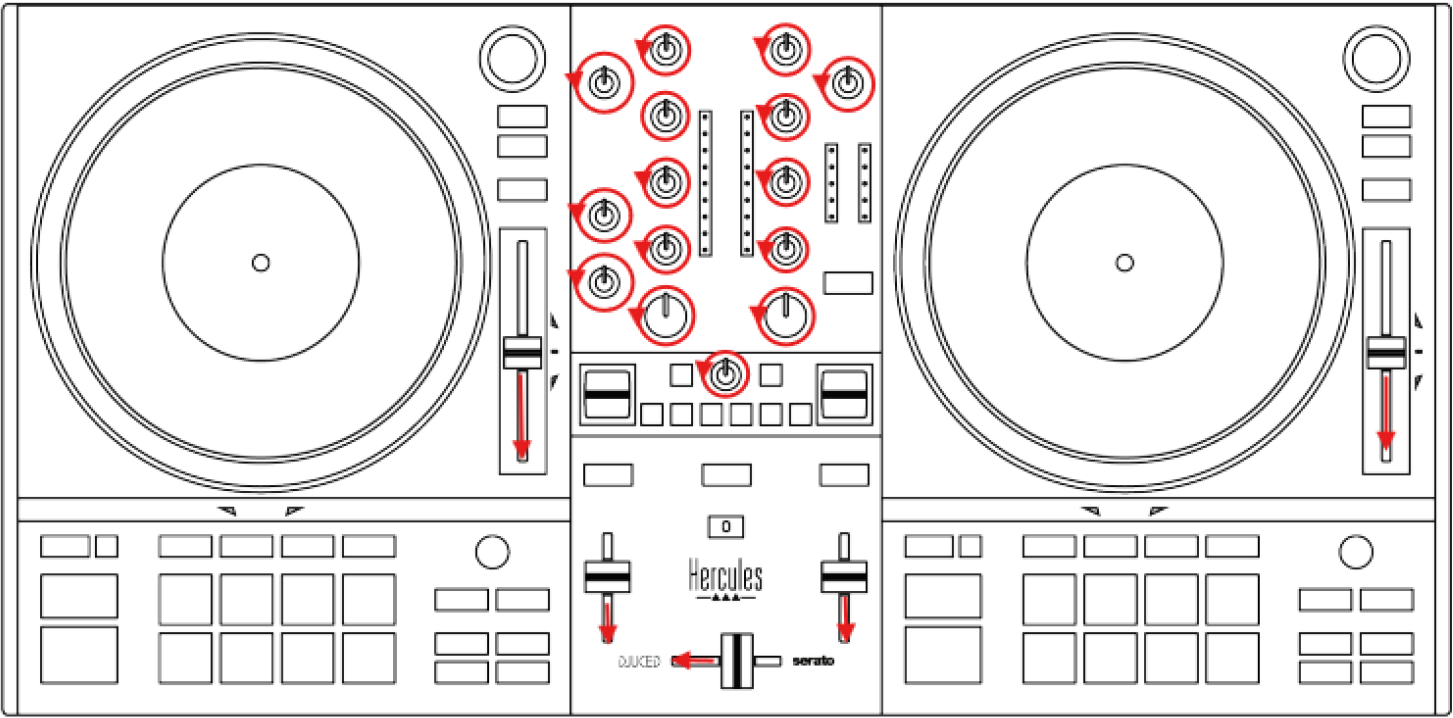
Step 1: Activate Calibration Mode
- On Deck 2, press and hold BACK and RANGE.
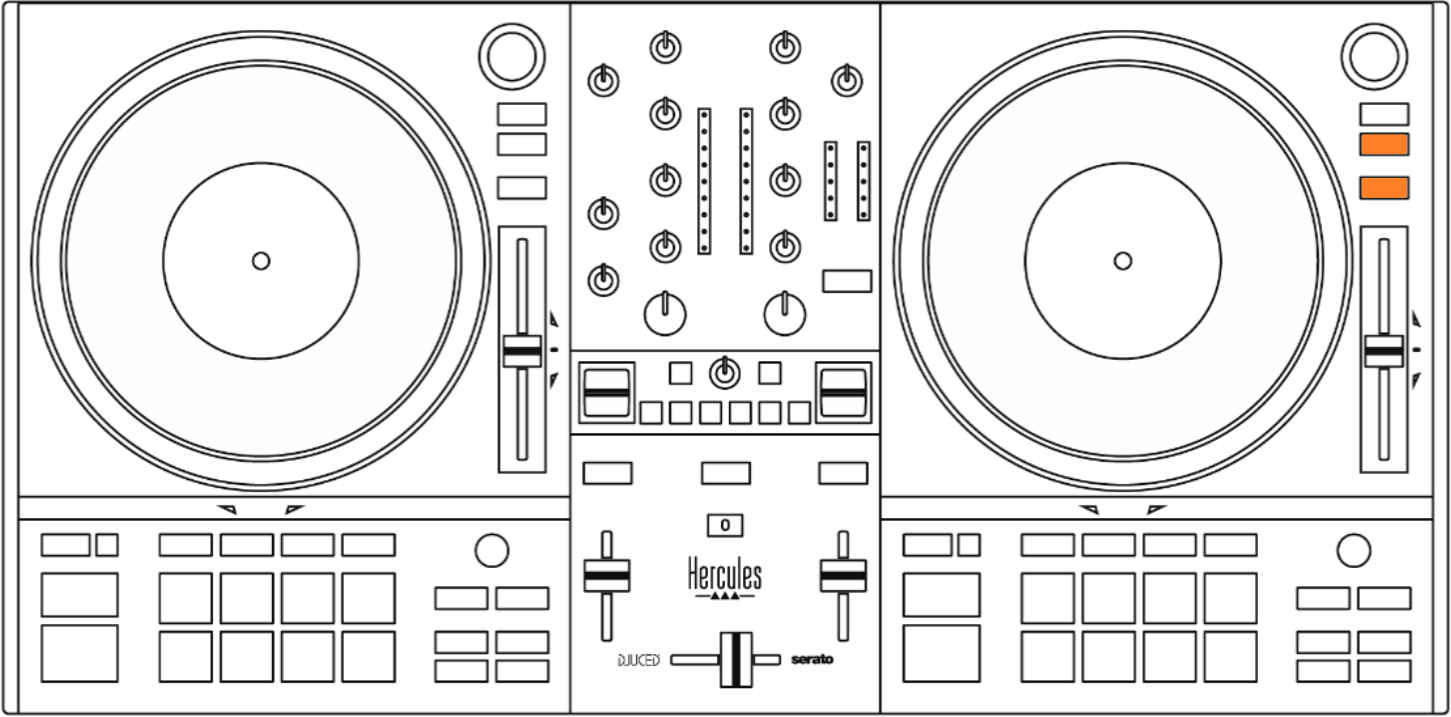
While holding both buttons:
- Plug the USB cable into DJControl Inpulse T7.
- Press the Power button.
- Keep both buttons pressed for 10 seconds, then release.
Indicators:
- LEDs of Buttons 1 and 2 on FX1 panel light up.
- BeatMatch Guide button blinks
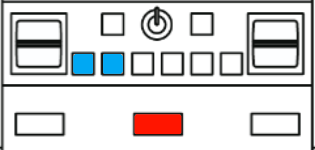
= Calibration mode active.
Step 2: Set All Controls to Center
- Turn all rotary potentiometers to center.
- Move all faders to center.
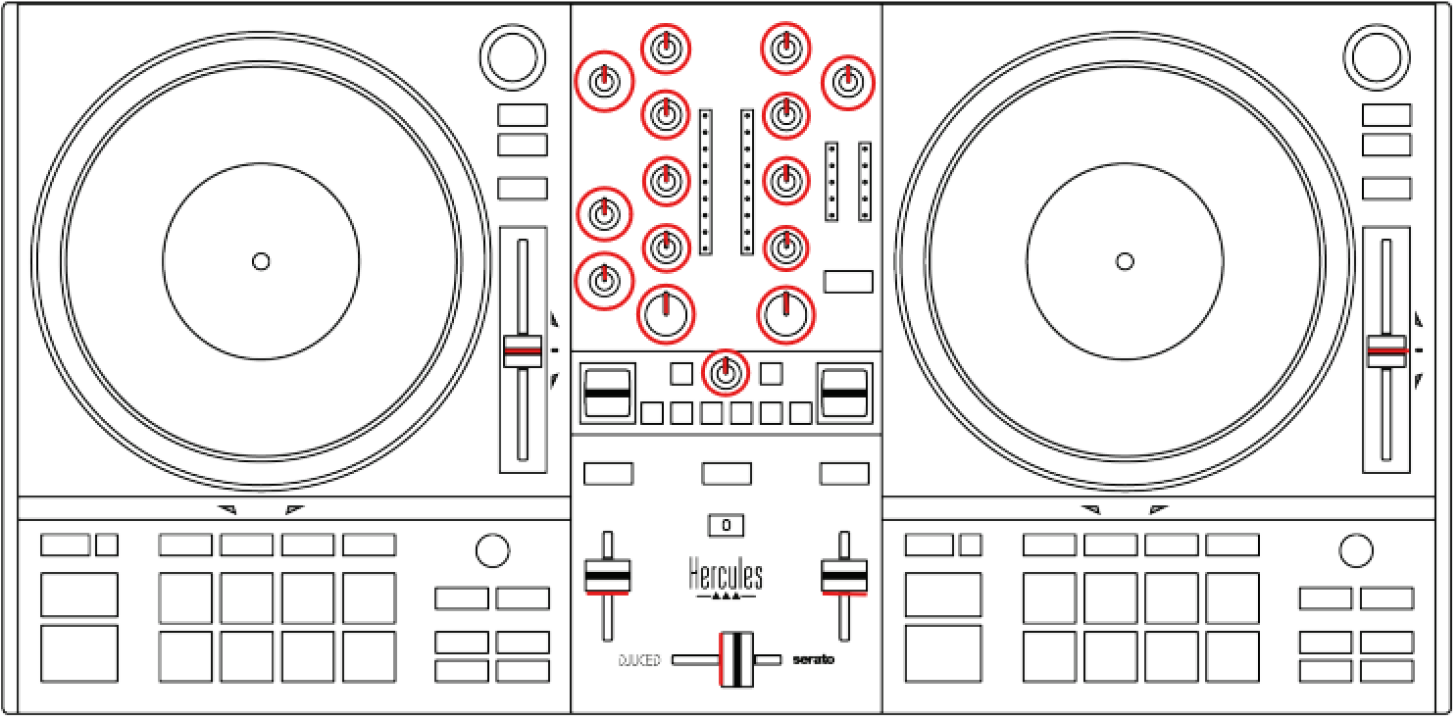
Press BeatMatch Guide button once.
Expected: Buttons 1, 2 and 3 on FX1 panel and button 1 on FX2 panel will light up.
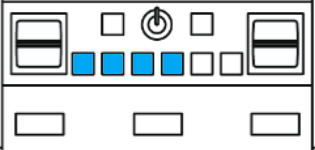
If not: One potentiometer was not moved from Min to Center.
- Move it to Min, then back to Center, and press BeatMatch Guide button again.
Step 3: Full Range Calibration
- Turn all rotary potentiometers to Min (left).
- Move crossfader fully left.
- Move tempo and volume faders fully down.
- Turn all rotary potentiometers to Max (right).
- Move crossfader fully right.
- Move tempo and volume faders fully up.
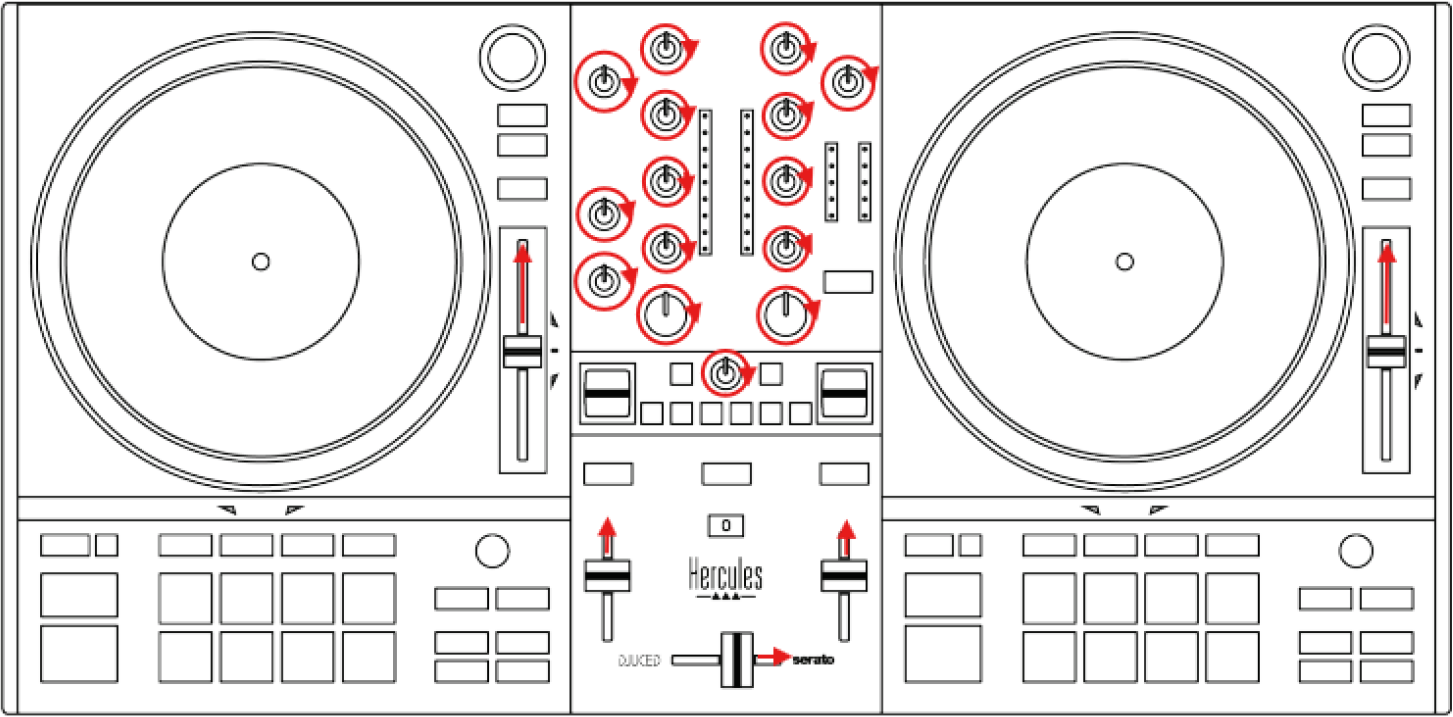
Press BeatMatch Guide button.
Expected: Buttons 1, 2 and 3 on FX1 panel and buttons 1 and 2 on FX2 panel will light up.
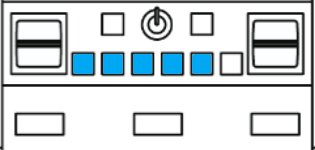
If not: Calibration failed. Restart from Step 0.
If yes: Calibration complete.
Unplug DJControl Inpulse T7 and reconnect.
Calibration is finished.