 English
  Français
 Deutsch
 Español
 Italiano
 Nederlands
 Português
 Русский
 中文 (中国)
 日本語
日本語
Product: DJControl T10
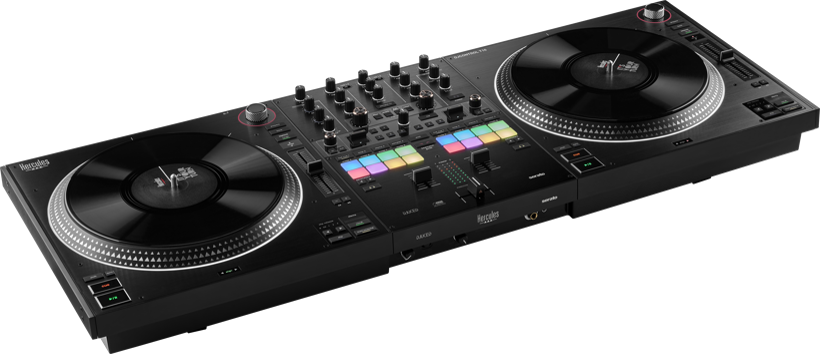
What is Auto-Calibration?
The DJControl T10 platters are factory-calibrated to ensure they rotate at the correct speed under all conditions.
However, if you notice inconsistent speeds between the two platters (commonly referred to as drift), you can manually start a new calibration process by following the procedure below.
Please also note that calibration is recommended if you have customized your slipmats or vinyl records or added backspin washers.
Follow these steps to successfully perform auto-calibration:
Step 0: Preliminary Operations
Disconnect all audio devices: speakers, headphones, and microphone.
Disconnect any USB Type-C cable connected to the rear of the DJControl T10.
Disconnect the power supply.
1. Check the Slipmats and Vinyl Records
Install the slipmats and vinyl records correctly. Make sure that nothing interferes with the rotation of the platters.
2. Stabilize the Controller
Place the DJControl T10 on a flat, stable surface (table or desk) with all four feet deployed.
3. Connect the Power Supply
Connect the controller to its power supply and plug it into a wall outlet.
4. Enter Calibration Mode
On Deck 2, press and hold PREPARATION and BACK while turning on the controller using the POWERSWITCH located on the rear panel.
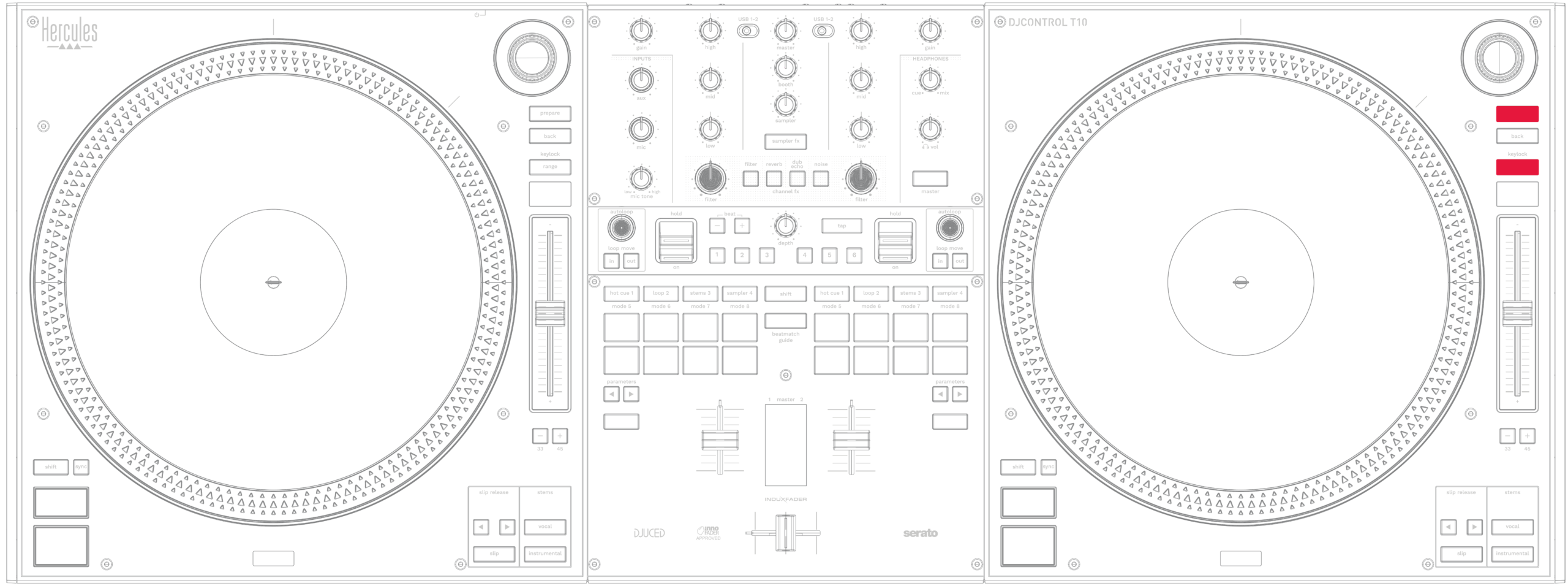
Release the buttons when the platters start rotating.
5. Wait for the Platters to Rotate
The platters will rotate automatically. Do not touch anything until they stop. Calibration is complete when the pads indicate the result:
Green pads (Hotcues 1 - 4 on each deck): Calibration successful. Restart the controller normally.
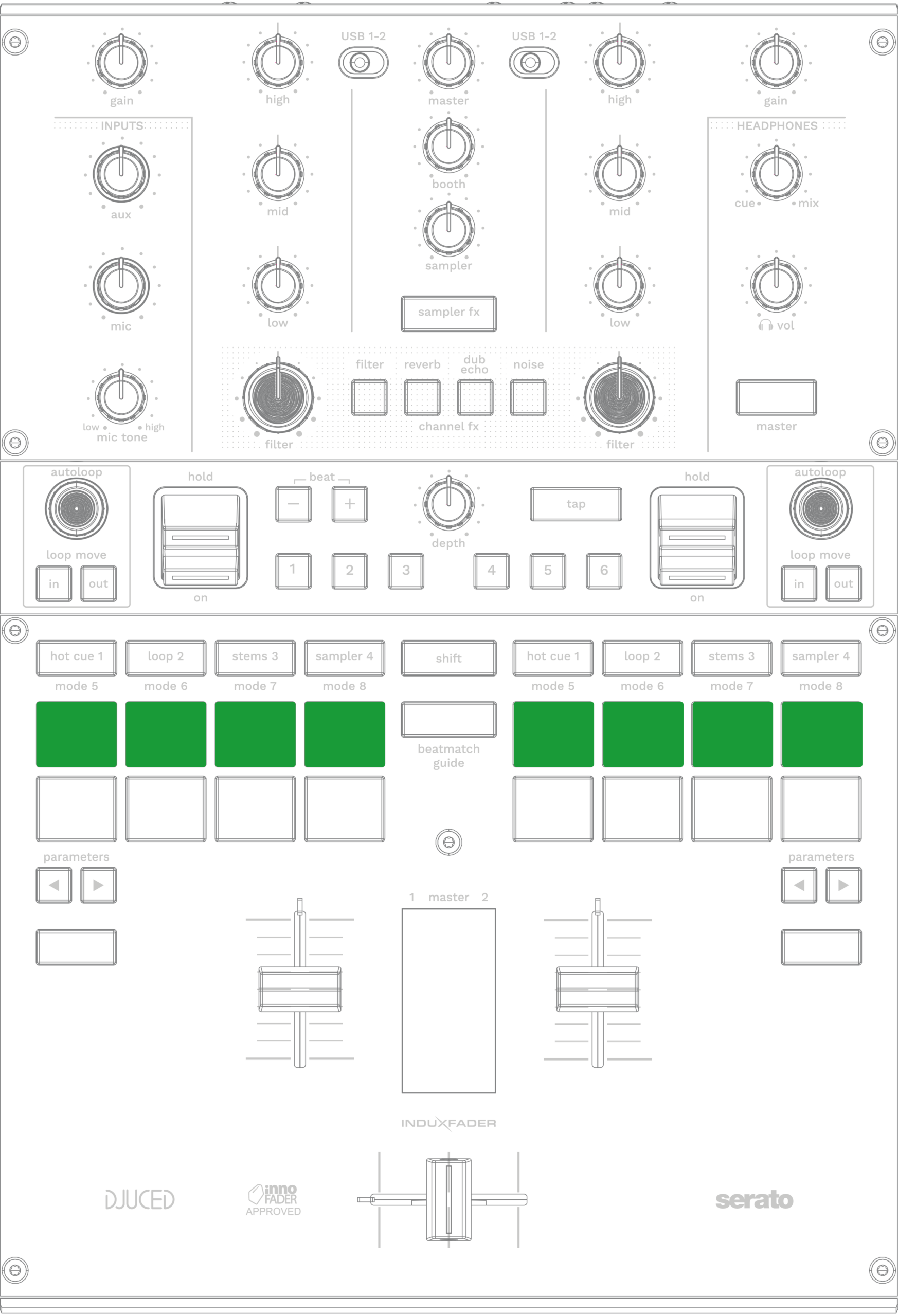
Red pads: Calibration failed. Check the mechanical setup and repeat the procedure.