 English
  Français
 Deutsch
 Español
 Italiano
 Nederlands
 Português
 Русский
 中文 (中国)
 日本語
日本語
Product: DJControl Inpulse T7
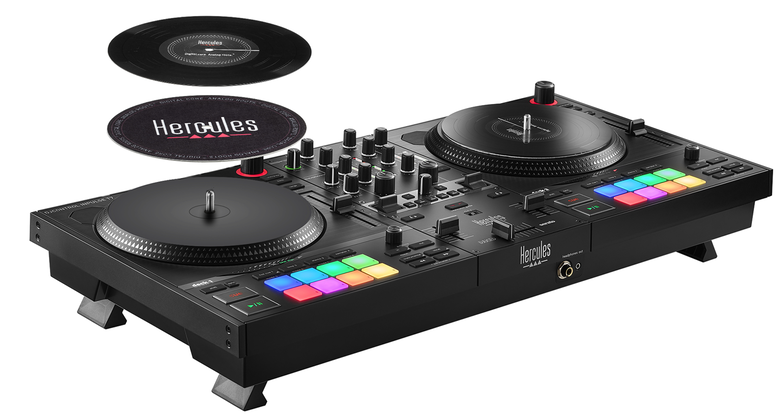
What is Auto-Calibration?
The jogwheels of the DJControl Inpulse T7 automatically calibrate when the controller powers on. Proper calibration ensures smooth rotation and accurate performance.
Follow these steps to guarantee a successful auto-calibration:
1. Power Off the Controller
Disconnect the DJControl Inpulse T7 and confirm the POWER button is in the OFF position (not pressed).

2. Check Slipmats and Vinyls
Install the slipmats and vinyls correctly. Ensure nothing obstructs the jogwheel trays.
3. Stabilize the Controller
Place the DJControl Inpulse T7 on a flat, stable surface (table, desk) with all four feet fully deployed.
4. Connect Power and USB
Plug the controller into the power supply and a wall outlet. Connect the USB cable to a powered-on computer, but do not launch any DJ software.
5. Enter Calibration Mode
On Deck 1, press and hold BACK and RANGE.
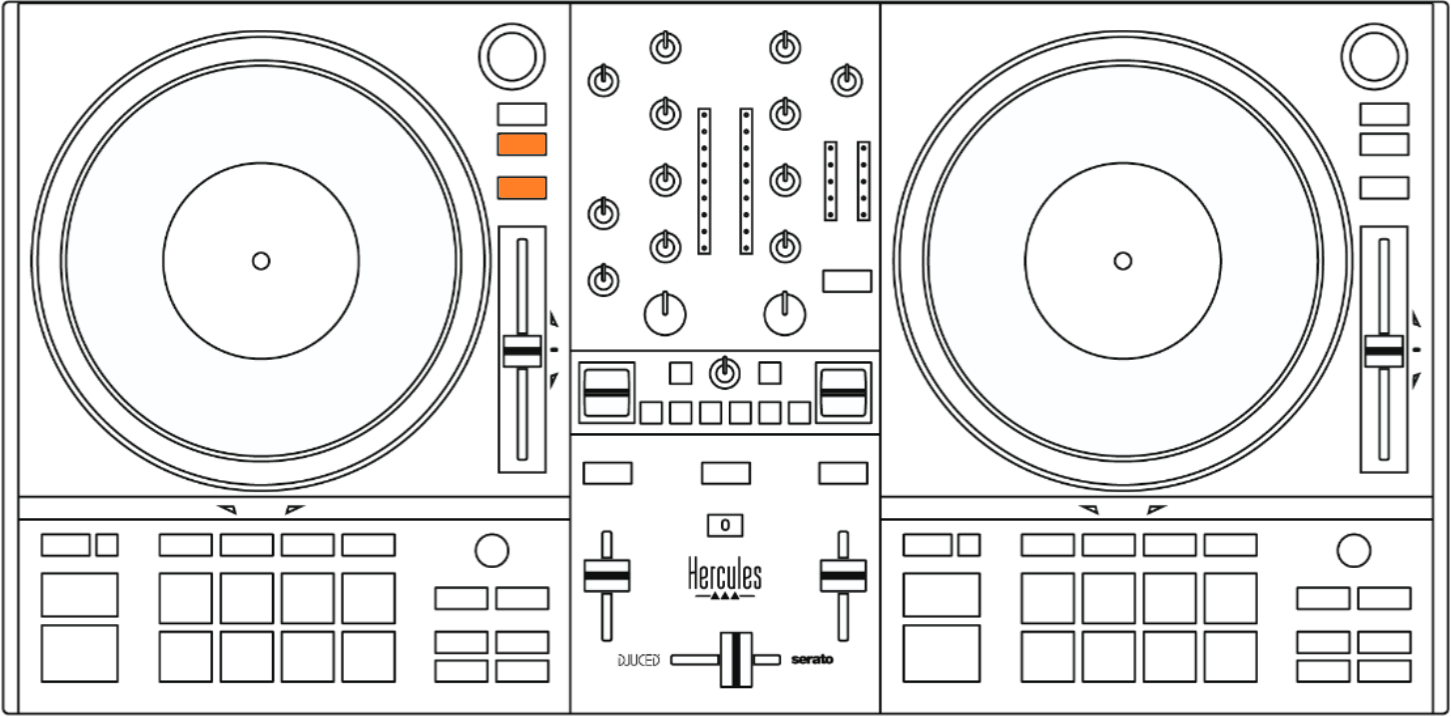
While holding these buttons, press the POWER button to turn the controller ON.

Release all buttons.
6. Wait for Jogwheel Rotation
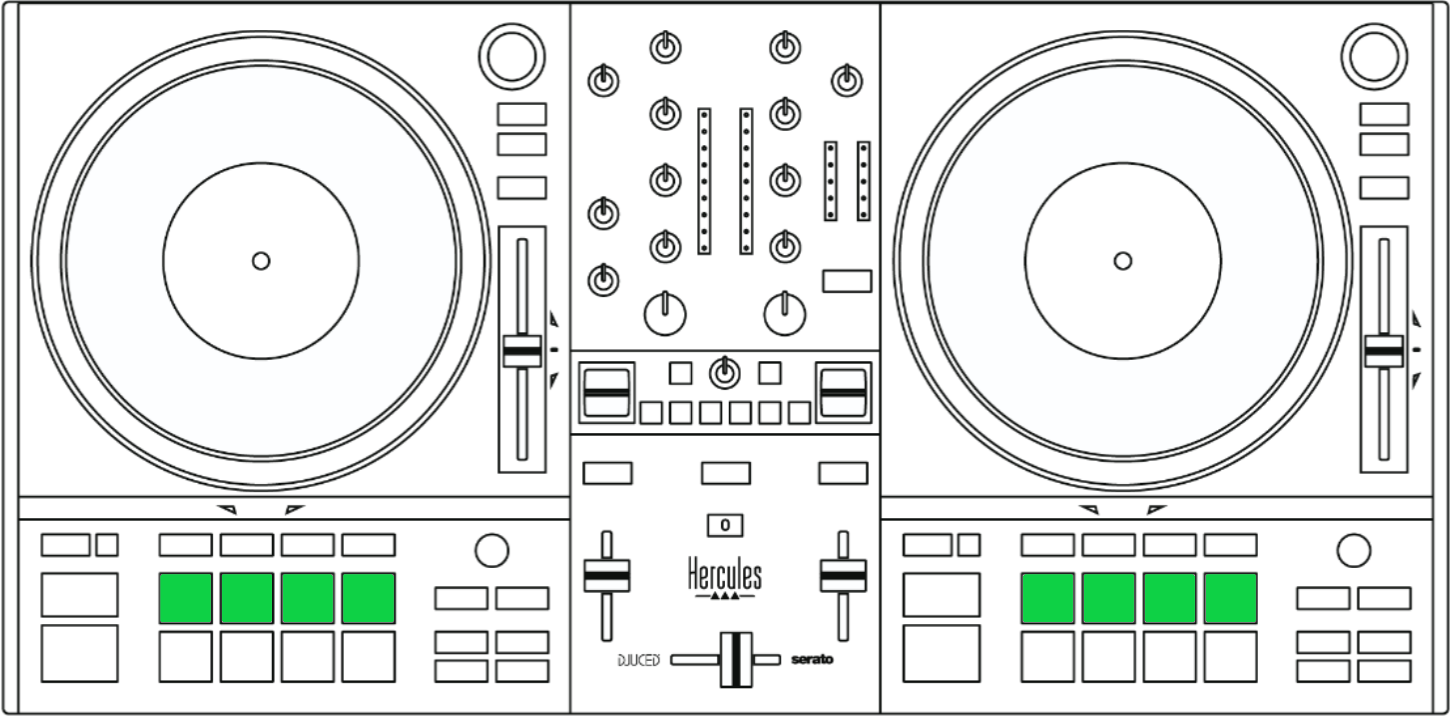
The jogwheels will spin automatically. Do not touch the controller until they stop. Calibration is complete when the pads indicate the result:
- Green pads (Hotcues 1–4 on each deck): Calibration successful. Restart the controller normally.
- Red pads: Calibration failed. Check mechanical setup and repeat the process.